
Your flying, organised.
Log flights in seconds, keep your hours, currency and licence goals in one place, and print a logbook that looks the part — on iPhone, iPad and the web.

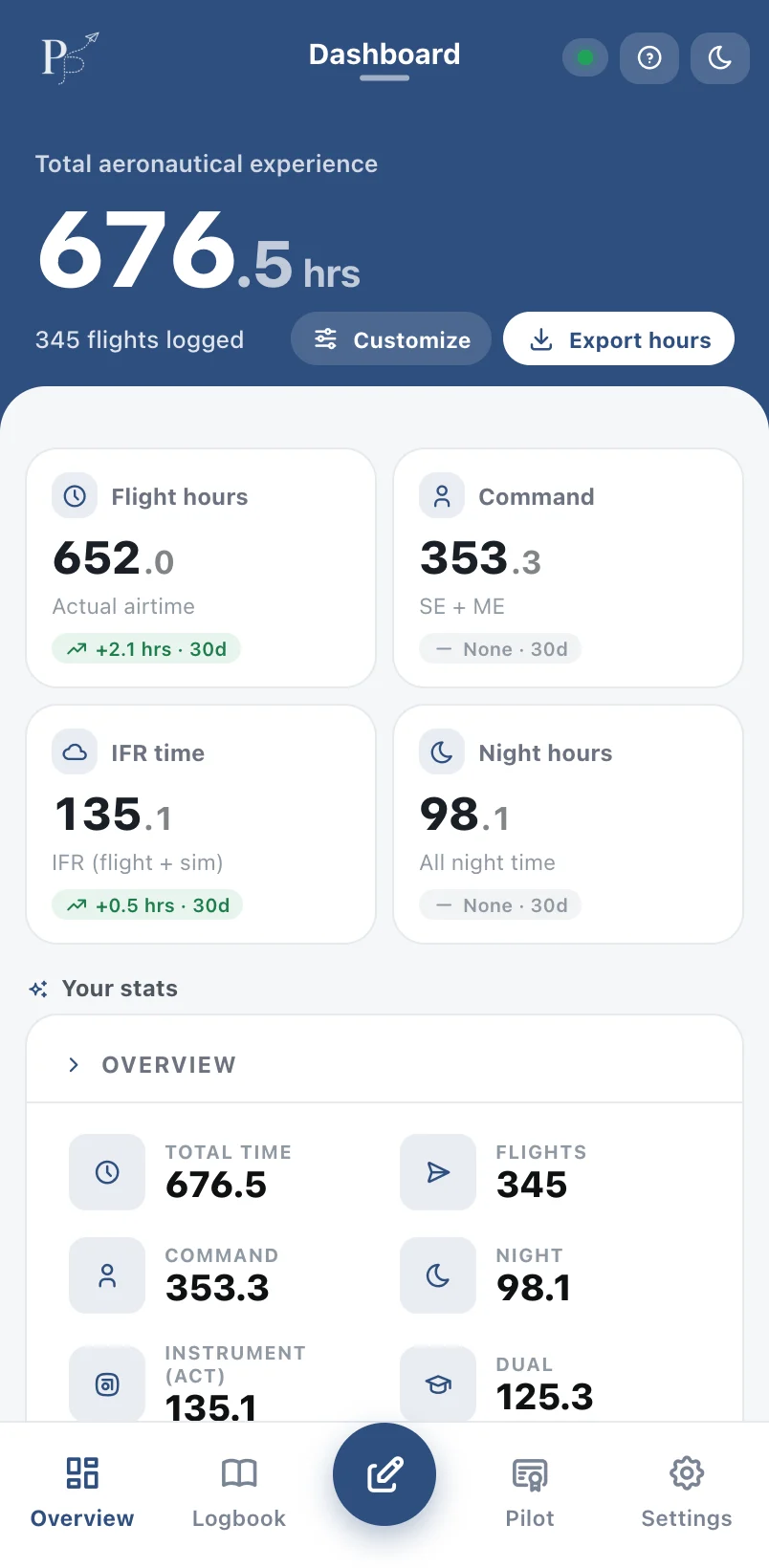
Your flying, organised around what matters to you
PilotPage is here to help pilots organise the data that means the most to them — the hours, currency, ratings and milestones behind their flying goals — so it's ready whenever they need it.
Built around your goals
See progress toward your next licence or rating, keep recency in view, and pull up the totals that matter for where you're heading next.
An easier way to go digital
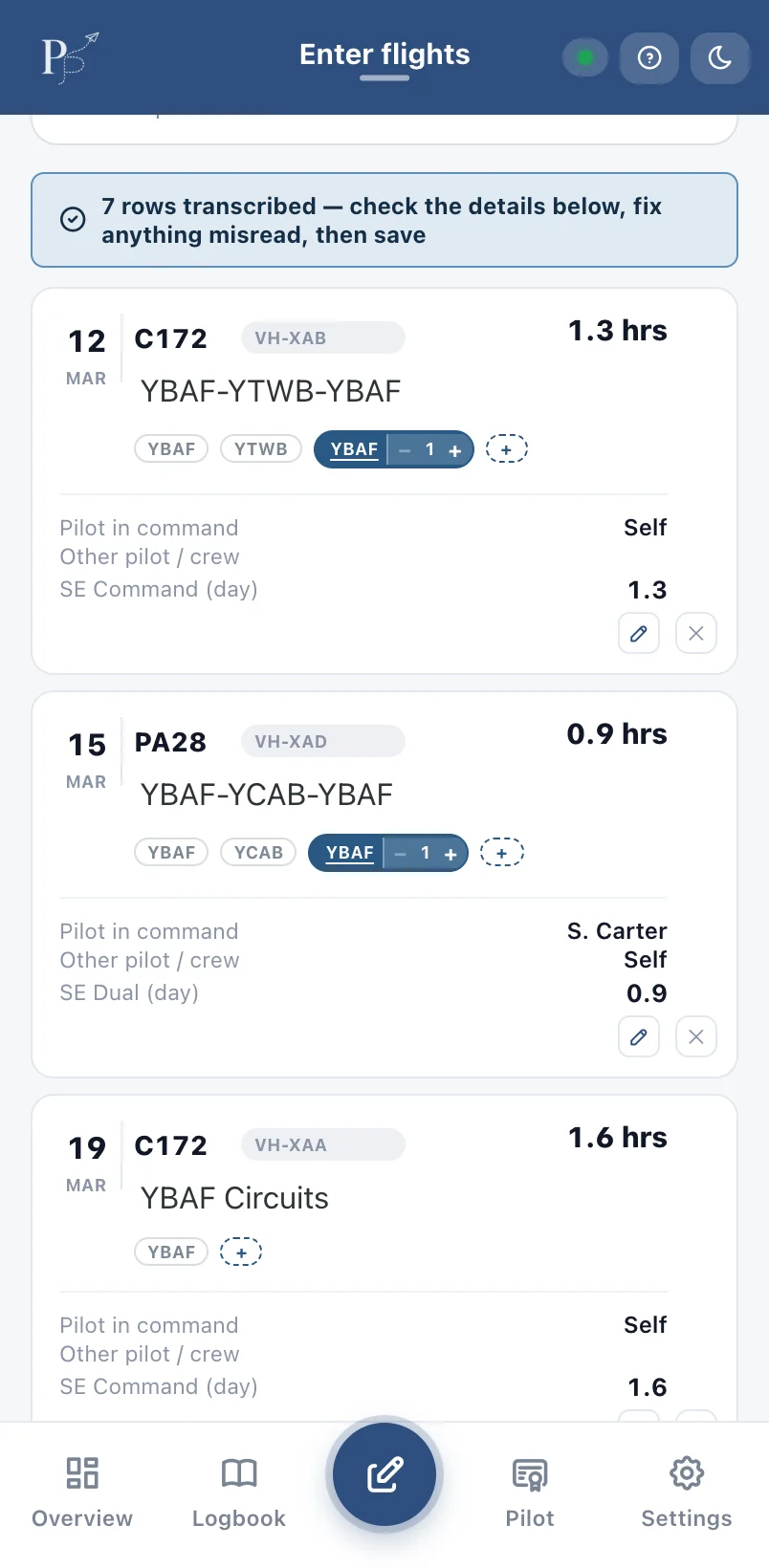
If typing in years of handwritten hours has kept you on paper, page scan does the heavy lifting: photograph a page, check the rows, and save.
Ready for your next application
Your hours in the familiar Part 61 layout, with tidy running totals that are easy for an employer or examiner to read at a glance.
Everything your paper logbook does — and more
Built around CASA Part 61 logbook columns and Australian recency rules.
Five ways to log
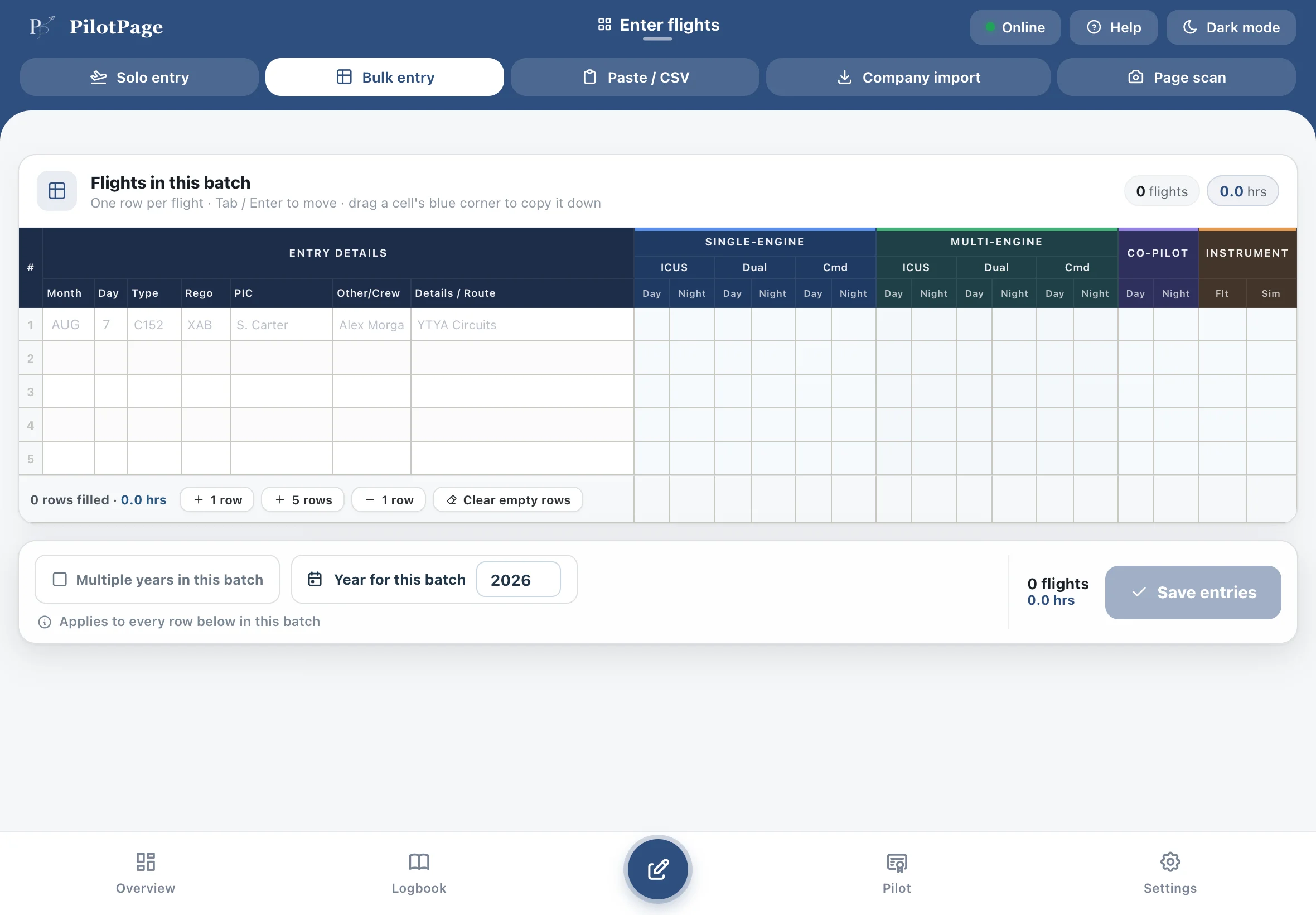
One flight at a time, a fast grid, paste from Excel, company import or page scan.
See it in actionA real virtual logbook
Printed-style pages with running totals, cover styles and PDF export.
See it in actionCurrency at a glance
Passenger, night and instrument recency worked out from your flights.
See it in actionHours breakdown
Totals by type, role, engine and your own categories — ready for job applications.
See it in actionFlight map
Every route and aerodrome you've flown, with landings and favourites.
See it in actionLicences & ratings
Type ratings, endorsements, medicals and sign-offs with expiry warnings.
See it in actionYour paper logbook, read in seconds
Moving a paper logbook into a digital one can feel like a big job, and plenty of pilots put it off for years. Take a photo of a page and PilotPage's AI turns each handwritten row into a flight you can check and save, so catching up takes an afternoon instead of weeks of typing.
- Dates, aircraft, crew, routes and times
- Review and fix every row before it's saved
- Keeps working even if you leave the screen
A logbook that looks the part
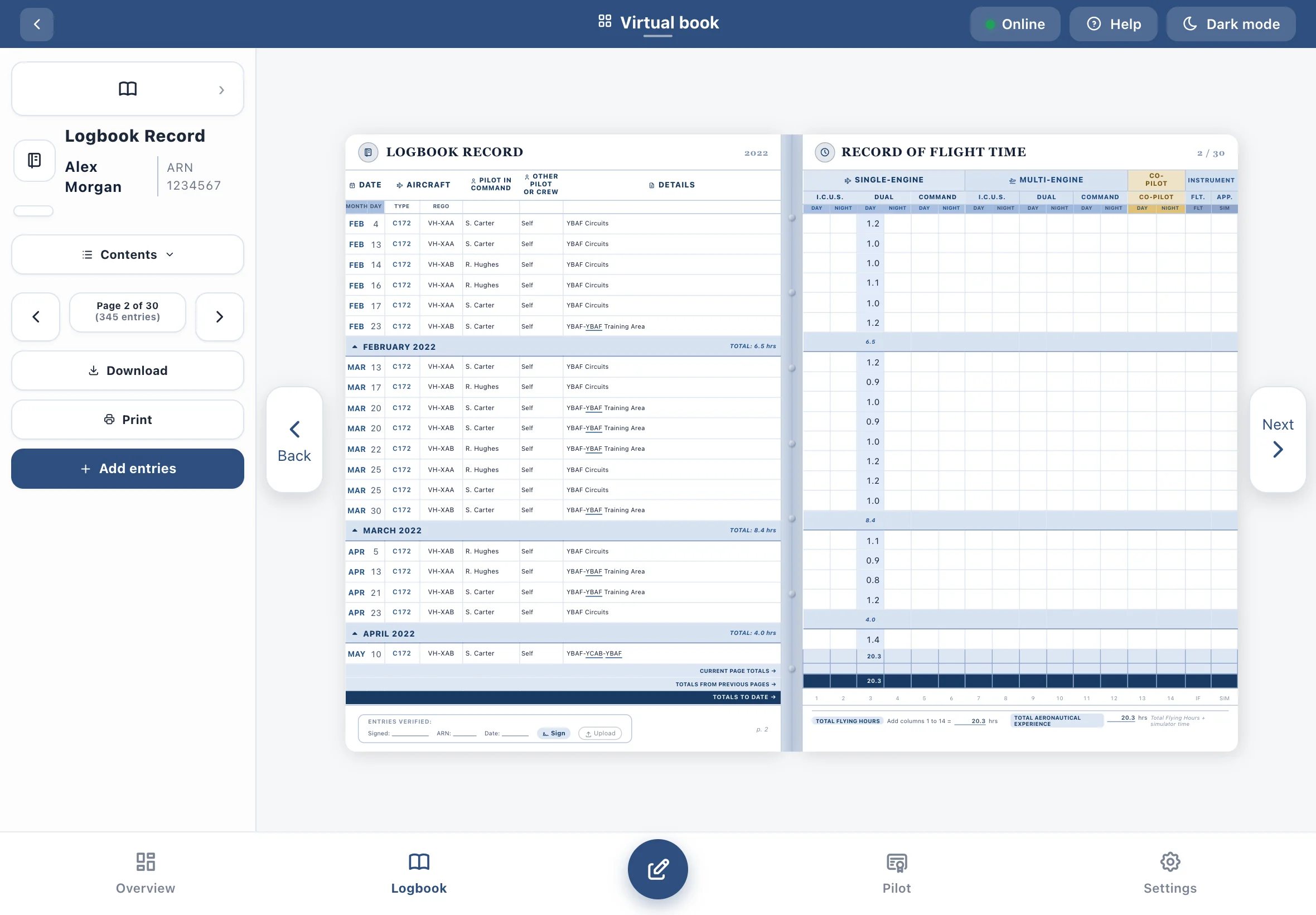
Every flight lands on printed-style pages in the familiar Part 61 layout, with running totals carried forward page by page. When an employer or examiner asks to see your hours, you can hand over something clear and consistent instead of pages of handwriting, crossings-out and hand-added sums.
- Choose a cover and page style — from classic parchment to crisp black & white
- Totals at a glance for PIC, ICUS, dual, night and instrument
- Print it or save a PDF whenever you need it
Know where you stand before you fly
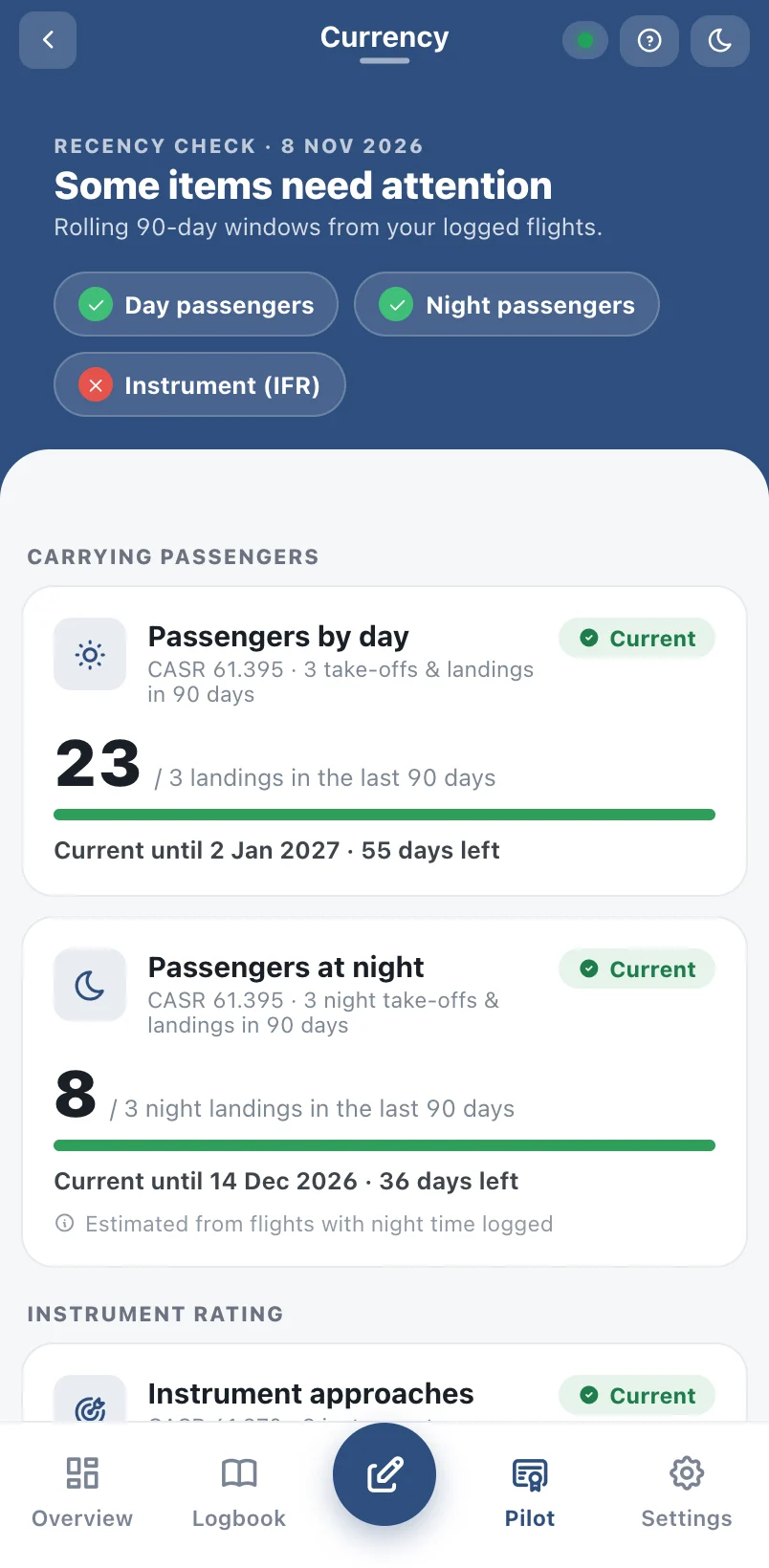
PilotPage works out your passenger, night and instrument recency from the flights you've logged, and tracks progress toward your next licence.
- Clear Current, Expiring soon and Not current status
- Licence goals for RPL, PPL, CPL, ATPL and more
- Expiry reminders for medicals, ratings and endorsements
Years of flying, moved across in an afternoon
No need to start from page one. Bring your existing records with you, however you kept them.
- Paste straight from Excel, Numbers or Google Sheets
- Import your company's logbook export
- Catch up months at once with the bulk grid — or scan paper pages on Pro
Built for every stage of flying
From first solo to the right-hand seat — PilotPage handles the logbook you have today and the one you're building toward.
Student pilots
Dual and solo time logged properly, with goals that show how far there is to go to RPL, PPL or CPL.
GA & charter
Quick entries between sectors, aircraft and crew remembered, and hours ready for the next application.
Airline crew
Company exports imported so co-pilot, instrument and night time land in the right columns.
Instructors
Instructing time, sign-offs and milestones kept alongside your own flying.
Up and running in minutes
Create your free account
Sign up with email or Google — no card needed.
Bring in your history
Paste from a spreadsheet, import a company export, or fill past months with the bulk grid.
Log as you fly
Add each flight in seconds. Totals, currency and goals update automatically.
Simple plans
Your logbook is always yours — export it any time, on any plan.
Free
For getting started and smaller logbooks
- Up to 150 hours or 100 entries
- Solo, bulk, paste & company import
- Virtual logbook, map & currency
- PDF & CSV export
Pro
or $79.99 a year — save 17%Works out to about $6.67 a month
- Unlimited flights and hours
- Logbook page scanning — buy scans as you need themLogbook page scanning — 5 scans a year included
- Extra scan packs available
- Everything in Free
Company
Pro for every pilot at your operator
- Pro for all your pilots
- Simple activation codes
- Company logbook import
Questions pilots ask
Can't find what you're after? A real person answers every email.
Is PilotPage an approved logbook?
PilotPage helps you keep accurate records and produces logbook pages in the standard Part 61 layout. Always check current CASA requirements and keep any records your operator or regulator asks for.
Does it work without internet?
Yes. Once you've opened PilotPage on your device, you can view your logbook and add flights with no signal. Changes sync automatically when you're back online.
Can I bring in my existing logbook?
Yes — paste rows from Excel, Numbers or Google Sheets, import a company logbook export, enter past months quickly with the bulk grid, or scan paper pages on Pro.
What does it cost?
PilotPage is free for smaller logbooks (up to 150 hours or 100 entries), with no time limit. Pro is A$7.99 a month or A$79.99 a year and removes the limit. See pricing.
Who can see my logbook?
Only you. Your logbook is tied to your own account and we never sell your data. Read our Privacy Policy for the details.
Can I get my data out?
Any time. Export your logbook as CSV or PDF, print it, or download all of your data from Settings → Privacy & legal.
Where is the iPhone app?
PilotPage is on the App Store for iPhone and iPad — download it here. The web app works on any other device, and your logbook syncs between them.
Ready to retire the paper logbook?
Download it for iPhone and iPad, or start free in your browser. Everything you log syncs between them.
